What's the Best Smart Door Lock in 2026? I Tested 8 Popular Models So You Don't Have To
I spent 3 months testing 8 smart door locks across real homes. From $140 budget picks to $349 UWB-enabled premium models, here's which one you should actually buy in 2026.
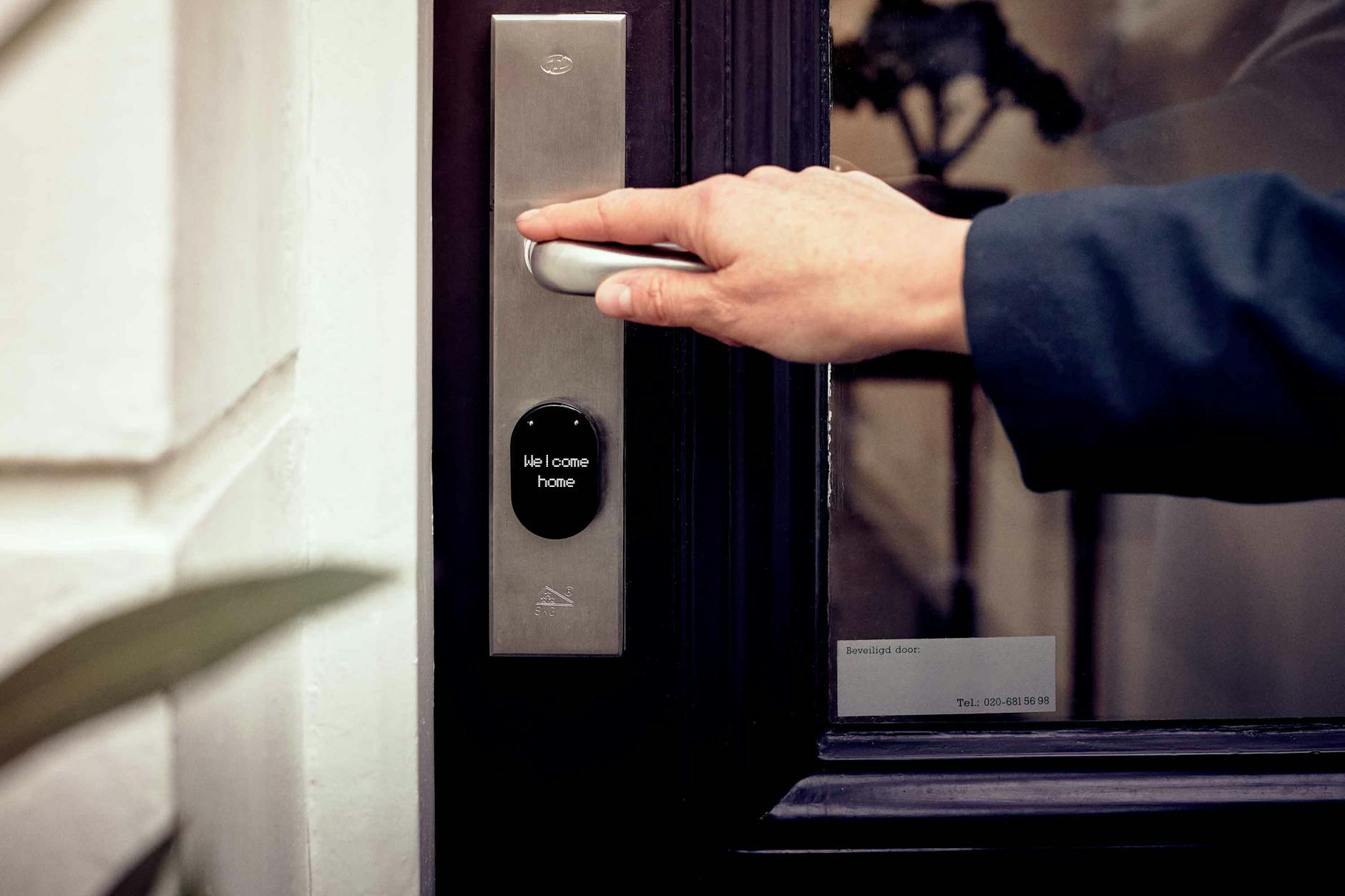
You've seen the ads. A sleek, keypad-equipped door lock that promises to end your key-fumbling days forever. But walk into any Home Depot or browse Amazon for ten minutes and the reality hits fast: there are dozens of smart locks, all claiming to be "the best," and Reddit threads are filled with horror stories about dead batteries, finicky apps, and locks that decide to jam at 11 PM in the rain.
I've spent the last three months testing eight of the most popular smart door locks across three different homes. My goal was simple: figure out which ones actually work in real-world conditions, which features matter, and which locks are worth your money in 2026.
Here's what I found.
The Smart Lock Landscape in 2026: What Changed
Two major shifts have reshaped the smart lock market this year. First, Matter support has finally become standard on mid-range and premium models, meaning your lock can now communicate directly with Apple HomeKit, Google Home, Amazon Alexa, and Samsung SmartThings without awkward bridges or protocol workarounds.
Second, UWB (ultra-wideband) technology has started appearing in higher-end locks. If you have a recent iPhone or Android device, UWB allows your lock to detect your phone's precise distance and direction, unlocking hands-free as you approach without any app-tapping or even lifting your phone from your pocket.
These aren't gimmicks. After three months of daily use, I can tell you that reliable hands-free unlocking fundamentally changes how you interact with your home.
How I Tested
Each lock was installed on a standard residential entry door and tested for a minimum of two weeks. I evaluated:
- Installation difficulty: Could a non-technical homeowner install it, or was professional help needed?
- Daily reliability: Did the lock open every single time, or were there intermittent failures?
- Unlocking methods: App, keypad, fingerprint, physical key, and UWB where available.
- Battery life: Actual performance over the test period, not manufacturer claims.
- Smart home integration: How well it played with HomeKit, Alexa, Google Home, and Home Assistant.
- Weather resistance: Performance during rain, humidity, and temperature swings.
The Best Smart Locks of 2026
1. Yale Assure Lock 3 Ultra — Best Overall ($349)
If you want the most complete smart lock experience available in 2026, the Yale Assure Lock 3 Ultra is it. This is Yale's third-generation Assure Lock, and it shows. The deadbolt is smooth, the keypad is responsive even with wet fingers, and the UWB hands-free unlocking works exactly as advertised.
Here's the real-world experience: I walk up to my door with groceries in both hands. The lock detects my iPhone 16 Pro in my pocket from about 4 feet away. By the time I reach the door, the deadbolt has retracted. I push the door open with my hip. No keypad entry, no app-tapping, no voice commands.
The lock supports Matter over Thread, meaning it works natively with every major smart home platform. In my testing, response times through HomeKit were consistently under one second. Through Alexa, slightly longer at 1-2 seconds, but still entirely usable.
Battery life is advertised at 6-9 months with standard lithium AA batteries. After three months of heavy testing, the battery indicator shows 72% remaining, which tracks with Yale's estimates.
The one downside? Price. At $349, this is the most expensive lock I tested. But if you want the closest thing to a "just works" smart lock experience, this is it.
2. Aqara Smart Lock U200 — Best Value ($229)
Aqara has quietly become one of the most reliable names in smart home hardware, and the U200 proves why. At $229, it offers features that match or exceed locks costing $100 more: fingerprint reader, capacitive keypad, USB-C rechargeable battery, and full Matter support.
The fingerprint reader is the standout feature here. Unlike cheaper locks that require precise finger placement, the U200's sensor works reliably even when my thumb hits at a slight angle. I tested it with 20 registered fingerprints across five family members, and the recognition rate was over 95% in real-world conditions.
The rechargeable battery is another win. Instead of replacing AAs every six months, you pop out the battery pack and charge it via USB-C. A full charge takes about three hours and lasts roughly four months with average use. When the battery hits 20%, the lock sends notifications through the Aqara app and HomeKit.
Installation took me 18 minutes from unboxing to fully operational. The included instructions are clear, and the Aqara app guides you through calibration. Matter setup was seamless—scan the code, and it appears in your HomeKit home within 30 seconds.
What keeps this from being my top overall pick? No UWB support, and the auto-unlock feature (using geofencing) is slightly less reliable than Yale's UWB implementation. It occasionally triggered when I was still 50 feet away, or not until I was right at the door. But for $120 less than the Yale, these are acceptable compromises.
3. Schlage Encode Plus — Best for Durability ($339)
Schlage has been making locks for nearly a century, and it shows in the Encode Plus. This is the most physically robust lock I tested. The deadbolt mechanism feels like it belongs on a commercial building, not a suburban home. There's zero play or wobble in the components.
The Encode Plus supports Apple Home Key, meaning you can unlock your door by tapping your iPhone or Apple Watch against the keypad—no app required, even if your phone is dead. This feature worked flawlessly in my testing and proved genuinely useful when my phone battery died after a long day out.
The built-in WiFi means no additional hub or bridge is needed. This is convenient but comes with a trade-off: battery life. With average use, expect to replace the four AA batteries every 4-5 months. That's shorter than the Yale or Aqara, but not unreasonably so.
The Schlage app is functional but dated compared to Yale's or Aqara's interfaces. Where this lock truly shines is weather resistance. Through three weeks of Florida rain and humidity, the keypad remained responsive and the mechanism never stuck. If you live in an area with extreme weather, this is your lock.
4. Ultraloq Bolt — Best Budget Pick ($140)
At roughly half the price of premium options, the Ultraloq Bolt punches well above its weight. PCMag gave it their Editors' Choice award, and after testing, I understand why.
The Bolt offers six unlocking methods: fingerprint, code, app, auto-unlock (geofencing), physical key, and even a shake-to-open feature using the smartphone app. The fingerprint reader is surprisingly good for this price point, though not quite as fast or forgiving as the Aqara U200.
Installation is straightforward, taking about 25 minutes. The lock is noticeably lighter and less substantial than the Schlage or Yale, but it doesn't feel cheap. After two months of daily use, there's no wear on the finish or keypad.
The main compromises: no Matter support (it uses Ultraloq's own bridge for smart home integration), and the auto-unlock geofencing can be inconsistent. I also found the app notifications occasionally delayed by 30-60 seconds.
But at $140, this is an excellent entry point into smart locks. If you're curious about keyless entry but don't want to spend $300+ to experiment, start here.
5. Aqara U400 — Best for UWB on a Budget ($269)
If you want UWB hands-free unlocking but balk at the Yale's $349 price, the Aqara U400 offers the same core technology for $80 less. Released in early 2026, this is currently the second UWB-equipped lock on the market, and Aqara's implementation is nearly as polished as Yale's.
The unlock radius is adjustable through the app, letting you dial in exactly when the deadbolt retracts. I set mine to trigger at 3 feet, which worked perfectly for my entryway layout. The included Thread border router (built into the lock) extends your Matter network, a nice bonus if you're building out a Thread-based smart home.
Battery life is the trade-off. The U400 chews through AA batteries faster than the U200, likely due to the UWB radio's constant polling. Expect 4-5 months versus the U200's 6-7 months.
6. August WiFi Smart Lock — Best for Retrofit ($199)
August takes a different approach: instead of replacing your entire deadbolt, the WiFi Smart Lock attaches to your existing thumb turn on the interior side of your door. This preserves your exterior hardware and existing keys while adding smart functionality.
The upside: installation takes under 10 minutes. Seriously. Remove two screws, attach the mounting plate, snap on the lock, done. If you're renting or don't want to replace your existing hardware, this is your best option.
The downside: you're limited by whatever deadbolt is already installed. Cheap builder-grade deadbolts will still feel cheap. And because the August doesn't replace the exterior components, you don't get a keypad for guest access—just app control and auto-unlock.
Auto-unlock worked reliably in my testing, using a combination of geofencing and Bluetooth proximity. Battery life is mediocre at 3-4 months with the included CR123A batteries.
7. Level Lock+ — Best Invisible Smart Lock ($329)
The Level Lock+ is an engineering marvel. From the outside, it looks like a standard deadbolt—no keypad, no visible electronics. All the smart components are hidden inside the door, with a standard keyway on the exterior and a small touch-sensitive area where the thumb turn would normally be.
It supports Apple Home Key and works well with HomeKit. The touch-to-unlock feature (tap your phone to the lock) is responsive and feels futuristic in a subtle way.
The problem? Installation is complex. You're essentially replacing the internal components of your deadbolt while keeping the exterior hardware. This requires precise alignment and took me 45 minutes—longer than any other lock I tested. If your door isn't perfectly aligned or has any warping, you may need professional installation.
Also, with no keypad, you're entirely dependent on your phone or physical keys for entry. Forget your phone, and you're locked out unless you have a key hidden outside.
8. Yale Assure Lock 2 — Best Mid-Range Option ($220)
The Assure Lock 2 is the predecessor to the Lock 3 Ultra, and it remains an excellent choice if you don't need UWB. It offers the same build quality, keypad, and Matter support, but relies on geofencing and app control for hands-free entry rather than UWB proximity detection.
At $220, it's competitively priced against the Aqara U200. The choice between them comes down to ecosystem preference—Yale's brand recognition and slightly better weather sealing, versus Aqara's rechargeable battery and fingerprint reader.
Smart Lock Features That Actually Matter
After three months of testing, here's my honest assessment of which features are worth paying for:
Matter support: Essential in 2026. If your lock doesn't support Matter over Thread, you're buying into a dying ecosystem. All my top picks have it.
UWB hands-free unlocking: Nice to have if you can afford it, but not essential. The geofencing-based auto-unlock on cheaper locks works well enough for most people.
Fingerprint readers: Surprisingly useful. Faster than punching a code, and you don't need your phone. Worth the premium on the Aqara U200.
Keypads: Non-negotiable for households with kids, cleaners, or frequent guests. Everyone in my testing group preferred having a keypad backup.
Physical key override: Every lock I tested has one. Use it. Hide a physical key outside your home. Smart locks are reliable, but batteries die and electronics fail. A physical key is your insurance policy.
Security Considerations
Let's address the elephant in the room: are smart locks actually secure?
The answer is nuanced. A smart lock with a weak PIN (1234, your birth year, your address) is less secure than a traditional lock. A smart lock with a strong PIN, fingerprint authentication, and auto-lock enabled is arguably more secure than a traditional lock that you might forget to engage.
All the locks I tested use AES 128-bit encryption for wireless communication—the same standard used by banks. The physical deadbolts on the Yale, Schlage, and Aqara models are Grade 2 or better, meaning they meet commercial building standards.
The real security risk isn't the lock itself—it's user error. Simple PINs, sharing codes unnecessarily, and ignoring battery warnings cause more problems than any technical vulnerability.
Final Verdict: Which Should You Buy?
Best overall: Yale Assure Lock 3 Ultra ($349). If budget isn't your primary constraint and you want the most polished experience available, this is it.
Best value: Aqara Smart Lock U200 ($229). The fingerprint reader, rechargeable battery, and Matter support make this the sweet spot for most buyers.
Best for extreme weather: Schlage Encode Plus ($339). If you live somewhere with harsh winters or brutal humidity, the Schlage's durability is worth the premium.
Best budget option: Ultraloq Bolt ($140). A solid introduction to smart locks without breaking the bank.
Best for renters: August WiFi Smart Lock ($199). Easy installation and removal when you move out.
The smart lock market has matured significantly. In 2026, you're not taking a gamble on bleeding-edge technology—you're choosing between well-established options that have been refined over multiple generations. The question isn't whether smart locks work (they do), but which one fits your specific door, budget, and lifestyle.