How Do I Use Security Cameras Without Feeling Like I'm Living in a Surveillance State? A Complete Guide to Privacy-First Home Monitoring
The 'Big Brother feeling' from home security cameras is real—but it doesn't have to be. This comprehensive guide covers strategic placement, privacy zones, physical covers, and local storage solutions that let you protect your home without sacrificing your sanity.
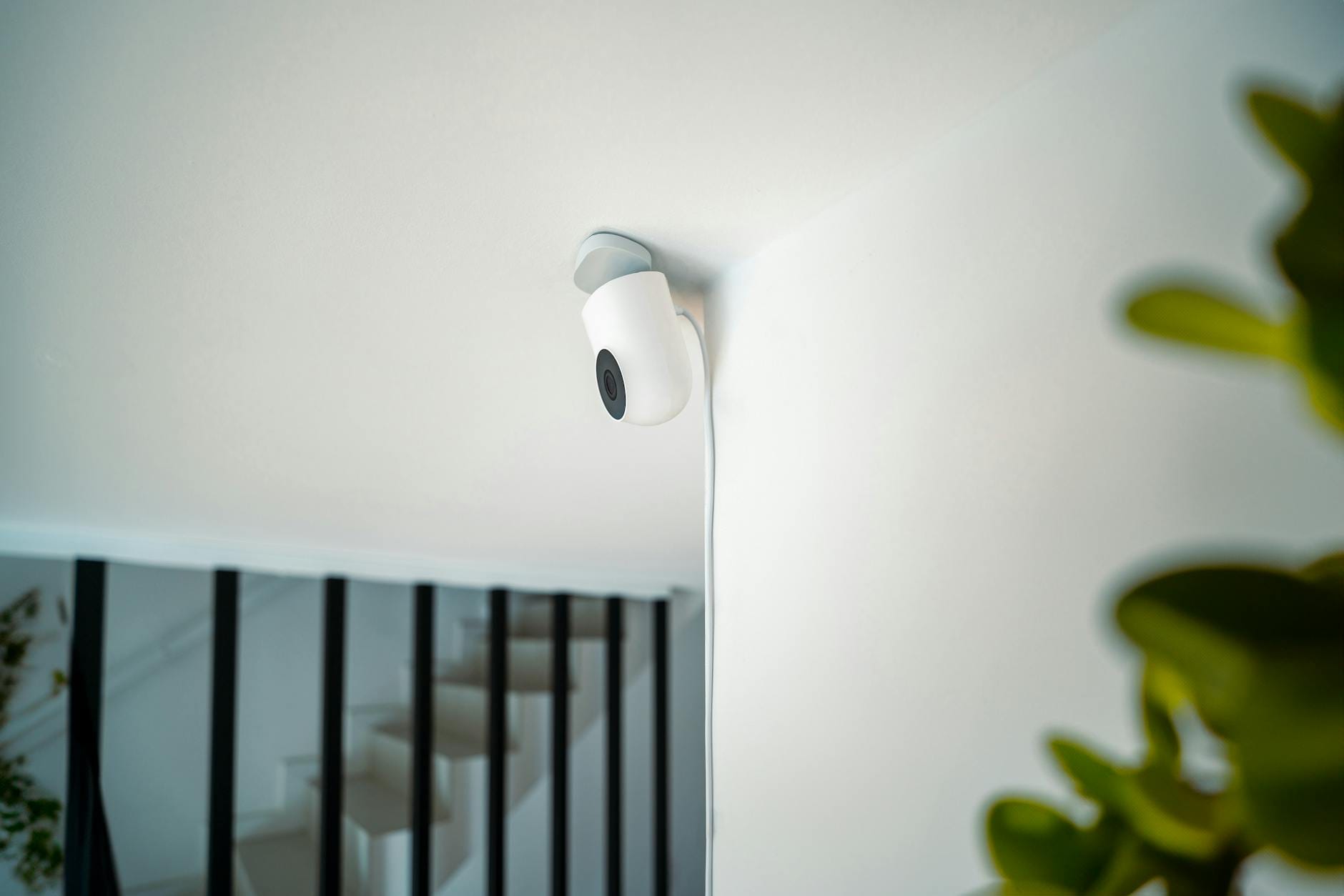
Every time I walk past my living room camera, I feel it watching me. Not in a "protecting my home" way—more like a "judging my snack choices at 11 PM" way. If that sounds familiar, you're not alone.
A recent post in r/homeautomation struck a nerve with over 450 upvotes and dozens of comments from people sharing the same discomfort. The OP described what they call the "Big Brother effect": that persistent, low-grade anxiety of being observed in your own sanctuary. Even when the camera is ostensibly for security, the psychological cost of constant surveillance can outweigh the benefits.
Here's the good news: you don't have to choose between security and sanity. Modern smart home technology offers multiple ways to maintain comprehensive home protection without turning your living room into a Panopticon. This guide breaks down practical, tested solutions—from hardware choices to placement strategies to privacy-focused configurations—that let you sleep soundly knowing your home is protected, not that you're being watched.
Understanding the Psychology: Why Cameras Feel Invasive
Before diving into solutions, it helps to understand why security cameras trigger this response. Humans are wired for privacy in intimate spaces. When a camera lens points at us—especially in areas where we relax, dress, or engage in private family moments—it activates the same neural pathways as being stared at by a person.
The r/homeautomation post highlighted two core issues: the constant awareness of being recorded, and the aesthetic intrusion of "white plastic blocks with giant lenses" that clash with carefully curated home design. Both are legitimate concerns that manufacturers are finally starting to address.
The Reddit community's response was telling. Rather than dismissing the concern, commenters shared their own workarounds: physical camera covers, automated privacy modes, and even 3D-printed enclosures that transform cameras into decorative objects. The demand for privacy-conscious security solutions clearly exists—the market just hasn't caught up.
Solution 1: Strategic Camera Placement (The Foundation)
The most effective privacy protection costs nothing: don't put cameras where you don't need them. This sounds obvious, but many homeowners default to "more coverage is better" without considering the privacy trade-offs.
Where to Place Cameras
Exterior cameras should cover:
- All entry points (front door, back door, side doors)
- Driveway and walkways approaching the house
- Ground-floor windows
- Garage access points
Interior cameras should be limited to:
- Main entryways and hallways
- Living rooms (if you accept the trade-off)
- Common areas during absence-only monitoring
Where NOT to Place Cameras
Never place cameras in bedrooms, bathrooms, or any space with a reasonable expectation of privacy. Not only is this a privacy violation for family members and guests, but it creates unnecessary security risks if footage is ever compromised.
Also avoid positioning cameras to capture neighboring properties. This creates legal liability and neighbor disputes. Most jurisdictions have specific laws about camera angles that capture areas beyond your property line.
Mounting Strategies
Mount cameras under eaves or architectural overhangs when possible. This protects equipment from weather, provides natural camouflage, and—crucially—angles the lens downward to reduce views into windows or private spaces.
For interior cameras, place them high in corners facing entry points rather than seating areas. A camera positioned to capture who enters the room doesn't need to see what they're doing on the couch.
Solution 2: Privacy Zones and Software Controls
Modern security cameras from brands like Arlo, Ring, Nest, and Eufy include software features specifically designed to address privacy concerns. Understanding and configuring these features transforms an invasive device into a targeted security tool.
Privacy Zones (Activity Zones)
Privacy zones let you digitally mask portions of the camera's field of view. If your living room camera captures a view into the hallway bathroom when the door opens, you can create a privacy zone over that area. The camera continues monitoring the room while ignoring the masked section.
Cameras with robust privacy zone features:
- Arlo Pro 5S 2K ($249.99) - Supports multiple customizable privacy zones with precise boundary control
- Google Nest Cam (Battery) ($179.99) - Offers "familiar face" detection that can ignore recognized household members
- EufyCam S3 Pro ($399.99 for 2-pack) - Local AI processing with privacy zone options that work without cloud subscriptions
- Ring Stick Up Cam Pro ($179.99) - 3D motion detection with customizable privacy zones
Scheduling and Modes
Most smart cameras support scheduling or geofencing-based modes. Configure your system to:
- Arm exterior cameras 24/7
- Arm interior cameras only when you're away
- Disable recording during specific hours (sleep time, family dinner)
- Switch to "privacy mode" (camera faces wall or disables) when you're home
The Ring Alarm Pro system ($249.99 base station) and SimpliSafe ($244.96 starter kit) both support these automated mode switches through their respective apps. Home Assistant users can create even more sophisticated automations—like disabling interior cameras when your phone connects to home WiFi.
Solution 3: Physical Privacy Solutions
Software controls are convenient, but physical barriers provide the strongest privacy guarantees. When a camera is physically blocked, no software glitch or hacking attempt can override it.
Automated Camera Covers
Several manufacturers now sell cameras with built-in physical shutters:
- Ring Indoor Cam (2nd Gen) ($59.99) - Features a manual privacy shutter that covers the lens
- TP-Link Tapo C120 ($29.99) - Budget-friendly option with a manual privacy shutter
- Logitech Circle View ($159.99) - Apple HomeKit camera with hardware privacy shutter
For cameras without built-in shutters, third-party solutions exist. The r/homeautomation post that inspired this article showcased a 3D-printed servo-driven cover that automatically opens when the user arms the security system and closes when disarmed. Similar products are available commercially:
- Camera Cover with Servo (various Etsy sellers, $25-45) - 3D-printed covers that integrate with smart home systems
- Stick-on Privacy Covers ($8-15 for packs) - Simple slide covers for most indoor camera models
Decorative Enclosures
The "white plastic block" aesthetic problem has solutions too. Companies like Nanoleaf and Govee make cameras designed to blend with decor, or you can hide cameras in:
- Decorative objects (clock radios, picture frames)
- Houseplants (ensuring leaves don't obstruct the lens)
- Bookshelf arrangements among actual books
Just remember: hidden cameras create ethical and potentially legal issues if guests or service workers are recorded without knowledge. Transparency matters.
Solution 4: Local Storage and Network Security
Privacy isn't just about who can see the live feed—it's about who can access recorded footage. Cloud storage means trusting a corporation with video of your private spaces. Local storage keeps that data under your control.
Cameras with Local Storage Options
Onboard SD Card Storage:
- Reolink Argus 3 Pro ($129.99) - Supports up to 128GB microSD with no subscription required
- Amcrest UltraHD 4K ($79.99) - Local microSD storage plus RTSP streaming to NAS
- Wyze Cam v4 ($35.99) - Budget option with 32GB microSD support
Network Video Recorders (NVR):
- Reolink RLK8-800B4 ($599.99) - 4-camera 4K system with 2TB NVR, no cloud dependency
- Amcrest 4K NV4108E ($299.99) - 8-channel NVR for larger setups
NAS Integration:
Cameras supporting RTSP or ONVIF protocols can record directly to network-attached storage:
- Synology Surveillance Station (compatible with 8,000+ camera models)
- QNAP QVR Pro - Alternative NAS security solution
- Frigate NVR (free, open-source) - AI-powered local NVR running on Home Assistant
Network Security Best Practices
Even local storage requires network security discipline:
- Create a separate IoT VLAN - Isolate cameras from computers and phones
- Use strong, unique passwords - Never leave default credentials
- Enable two-factor authentication - On all camera apps and associated accounts
- Keep firmware updated - Manufacturers patch security vulnerabilities regularly
- Disable UPnP - Prevents cameras from automatically opening router ports
Solution 5: The "Privacy-First" Camera Shortlist
If you're starting from scratch or replacing invasive cameras, these models prioritize privacy features:
Best Overall: EufyCam S3 Pro
$399.99 (2-camera kit)
Local AI processing means facial recognition and person detection happen on-device, not in the cloud. The HomeBase 3 hub stores footage locally with 16GB built-in (expandable to 16TB via HDD). No subscription required for any features. Color night vision and 4K resolution complete the package.
Best for Alexa Users: Ring Stick Up Cam Pro with Privacy Kit
$179.99 (camera) + $15 (privacy shutter accessory)
The Pro model offers 3D motion detection and bird's eye view. While Ring's cloud dependence is a downside for privacy purists, the physical privacy shutter accessory and robust Alexa integration make this a solid choice for Amazon ecosystem households who accept the trade-offs.
Best Budget Option: TP-Link Tapo C120
$29.99
At under $30, this camera includes 2K resolution, local microSD storage, a physical privacy shutter, and no mandatory subscription. It works with Google Assistant and Alexa. The app isn't as polished as premium competitors, but the privacy features are genuinely impressive for the price.
Best for HomeKit Users: Logitech Circle View
$159.99
Apple's HomeKit Secure Video means encrypted analysis on your HomePod or Apple TV, not Apple's servers. The Circle View adds a hardware privacy shutter and excellent build quality. It requires an iCloud+ subscription for recording ($0.99/month minimum), but footage is end-to-end encrypted.
Best DIY/Nerd Option: Reolink with Frigate
$129.99 (camera) + existing server/NAS
For the technically inclined, Reolink cameras paired with the open-source Frigate NVR offer the strongest privacy guarantees. All processing happens locally, object detection runs on your own hardware, and no company ever touches your footage. Requires setup effort but provides unmatched control.
The Ethics of Home Surveillance
Technical solutions aside, there's an ethical dimension to home cameras that deserves consideration. Household members—including children, partners, and extended family—have privacy rights that technology shouldn't override.
Best practices include:
- Full disclosure - Everyone living in or regularly visiting the home should know cameras exist and where they're located
- Input on placement - Family members should have veto power over camera locations in shared spaces
- Guest notification - Consider visible signage or verbal notification when hosting
- Regular audits - Periodically review who has access to camera feeds and remove unnecessary permissions
- Data retention limits - Configure automatic deletion of footage older than necessary (30-60 days for most homes)
The goal is security, not surveillance. If your camera system creates tension with family members or makes guests uncomfortable, it's worth reconsidering the configuration—even if that means accepting slightly less comprehensive coverage.
Building Your Privacy-First System
Putting this all together, here's a practical roadmap for homeowners at different commitment levels:
Level 1: Basic Privacy (Minimal Effort)
- Limit cameras to entry points only—no interior coverage
- Use cameras with physical privacy shutters for any indoor placement
- Configure schedules to disable recording when home
- Enable privacy zones in camera apps
- Estimated cost: $100-300
Level 2: Balanced Approach (Moderate Effort)
- Exterior cameras with cloud recording (convenience)
- Interior cameras with local storage only
- Separate IoT network VLAN
- Automated privacy modes via geofencing
- Estimated cost: $400-800
Level 3: Privacy Maximum (High Effort)
- All-local storage via NAS or NVR
- Home Assistant automation for physical camera covers
- No cloud-connected cameras whatsoever
- Custom Frigate or ZoneMinder setup with AI object detection
- Regular security audits and penetration testing
- Estimated cost: $800-2,000+
The Bottom Line
The "Big Brother feeling" isn't a personality quirk or irrational anxiety—it's a reasonable response to poorly designed surveillance technology. Fortunately, the solutions exist. Strategic placement, software privacy controls, physical barriers, and local storage options let you achieve genuine security without sacrificing the sense of sanctuary that makes a house a home.
The r/homeautomation community's creative responses—from automated 3D-printed covers to sophisticated Home Assistant automations—demonstrate that homeowners don't have to accept invasive security as the price of safety. With the right approach, you can monitor your property while respecting your family's privacy and maintaining the psychological comfort of an unwatched personal space.
Your home should feel like a refuge, not a reality show set. Modern smart home technology, configured thoughtfully, makes that possible.