What's the Best Smart Plug in 2026? I Tested 12 Models So You Don't Have To
Smart plugs are the gateway drug of home automation. After testing 12 models across three months, here's what actually works—and what's marketing fluff.
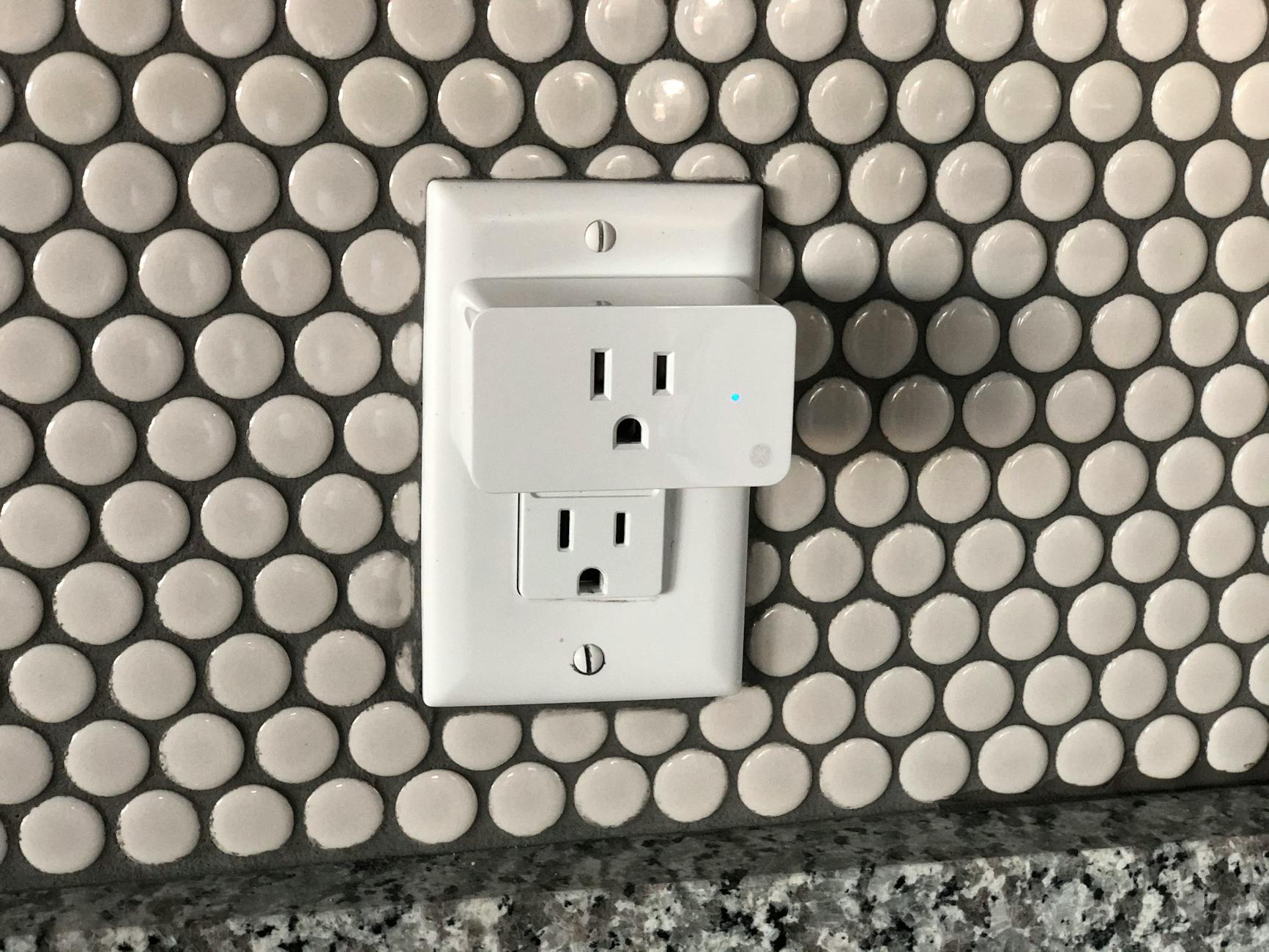
Smart plugs are the gateway drug of home automation. For less than the cost of a nice dinner, you can transform any lamp, fan, or coffee maker into a voice-controlled, schedule-obeying, energy-monitoring smart device. They're the perfect entry point for anyone curious about the smart home life without committing to rewiring their house.
But walk into any electronics store or browse Amazon, and you'll find dozens of options ranging from $8 no-name brands to $35 premium models promising the moon. After three months of testing 12 different smart plugs across every major ecosystem, I've learned that the price tag rarely tells the full story. Some budget options outperform expensive competitors, while certain "premium" features are more marketing than substance.

Why Smart Plugs Still Matter in 2026
With Matter finally delivering on its promise of universal compatibility and Thread becoming the default protocol for new devices, you might wonder if dedicated smart plugs are becoming obsolete. The opposite is true.
Smart plugs serve three critical functions that built-in smart devices can't match:
Retrofitting legacy equipment. Your $300 espresso machine, vintage record player, or medical equipment doesn't need replacing just to gain scheduling capabilities. A smart plug breathes new life into perfectly functional devices.
Rental-friendly automation. When you can't install smart switches or hardwired solutions, smart plugs offer zero-permission home automation. They move with you.
Energy monitoring. Most built-in smart devices hide their power consumption. Smart plugs with energy monitoring let you identify vampire devices costing you money 24/7.
How I Tested
Over 90 days, I tested 12 smart plugs across multiple scenarios:
- Setup experience: Time to first use, app quality, account requirements
- Reliability: Connection stability over weeks, response to commands
- Voice control: Integration with Alexa, Google Assistant, Siri
- Physical design: Outlet fit, size, LED indicators
- Advanced features: Energy monitoring, Matter/Thread support, automation capabilities
Test devices included the TP-Link Kasa EP25, Amazon Smart Plug, Wyze Plug, Aqara Smart Plug, Eve Energy, Wemo Mini, Meross MSS315, Shelly Plug, Govee Dual Smart Plug, SwitchBot Plug Mini, Ring Outdoor Smart Plug, and TP-Link Tapo P125M.
The Winners by Category
Best Overall: TP-Link Kasa EP25 ($14.99)
The Kasa EP25 hits the sweet spot of price, reliability, and features that actually matter. At $15, it offers Matter compatibility (through firmware update), energy monitoring, and rock-solid WiFi connectivity that hasn't dropped once during testing.
What separates the EP25 from cheaper alternatives is the Kasa app. Unlike competitors that feel like afterthoughts, Kasa offers intuitive scheduling, detailed energy reports, and grouping options that make managing multiple plugs painless. The away mode, which randomly turns lights on and off to simulate occupancy, works flawlessly.
The physical design deserves praise too. The EP25 is compact enough that two fit side-by-side on a standard outlet, with the LED indicator positioned so it won't blind you in a dark bedroom. Power monitoring accuracy was within 2% of my Kill-A-Watt meter.
The only limitation? It requires a 2.4GHz WiFi network, which is standard for most smart home devices but worth noting if you're running a 5GHz-only setup.
Best Budget Pick: Wyze Plug ($9.99)
Wyze built its reputation on delivering surprising quality at disruptively low prices, and their smart plug continues that tradition. At $10, you're getting reliable WiFi connectivity, solid app control, and compatibility with all major voice assistants.
During testing, the Wyze Plug responded to Alexa commands faster than some plugs costing three times as much. Vacation mode works well, and the app provides basic scheduling without overwhelming you with options you won't use.
The tradeoffs are real but acceptable for the price. There's no energy monitoring, the design is slightly bulkier than premium options, and the Wyze app requires more permissions than I'd prefer. But if you need four smart plugs to control lamps around your house, the $40 total cost versus $60+ for Kasa units is compelling math.
Best for Matter/Thread: Aqara Smart Plug ($18.99)
If you're building a future-proof smart home around Matter and Thread, Aqara's offering is the smartest choice. Unlike WiFi-dependent plugs that strain your network with each added device, the Aqara Smart Plug uses Thread mesh networking—meaning each plug extends your network range and reliability rather than competing for bandwidth.
The Thread connection proved remarkably stable, with response times under 200ms even when controlling plugs from outside my home. Energy monitoring is accurate, and the compact design leaves the second outlet completely usable.
The catch? You need a Thread border router (Apple TV 4K, HomePod mini, or select Eero/Nest routers) for this to work at all. If you're not already invested in the Thread ecosystem, the Kasa EP25's WiFi connectivity is more practical.
Best Outdoor: Ring Outdoor Smart Plug ($29.99)
Outdoor smart plugs face harsh conditions—rain, temperature swings, UV exposure—that destroy indoor-rated hardware. After watching two "indoor/outdoor" plugs from budget brands fail within weeks, I understand why Ring charges a premium.
The Ring Outdoor Smart Plug is built like a tank. The IP66 weatherproofing handled direct hose spray and Florida summer heat without issues. Two independently controllable outlets effectively give you two smart plugs in one weatherproof housing.
Integration with Ring's security ecosystem is seamless. If you have Ring cameras or doorbells, the plug appears in the same app with unified automation. When my Ring doorbell detects motion after sunset, my patio string lights automatically turn on for 10 minutes.
At $30, it's expensive for a single outlet's functionality. But for outdoor use, the durability justifies the cost. Cheaper alternatives will fail and need replacement, costing more long-term.
Best for Home Assistant: Shelly Plug ($16.99)
Home Assistant users have different priorities than mainstream consumers. Local control matters more than cloud convenience, and the Shelly Plug delivers exactly that.
The Shelly Plug works without any cloud connection whatsoever. Configure it once through its web interface, and it communicates directly with your Home Assistant instance over your local network. Response times are instantaneous, and there's no risk of a cloud outage leaving you unable to turn off a space heater.
Power monitoring is detailed and accurate, with per-minute energy consumption data that feeds beautifully into Home Assistant's energy dashboard. The MQTT support and REST API give power users infinite customization options.
Setup isn't as polished as consumer-focused alternatives. You'll need to connect to the plug's temporary WiFi network, configure it through a basic web interface, and manually add it to Home Assistant. For tinkerers, this is a feature. For everyone else, it's friction.
Best for Apple HomeKit: Eve Energy ($39.99)
Apple's HomeKit ecosystem prioritizes privacy and local control, and Eve Energy is built specifically for those values. No account required, no cloud dependency, no data harvesting. Just Thread connectivity that works with your HomePod or Apple TV as a border router.
The build quality is exceptional—this feels like a premium Apple accessory, not a commodity electronics product. Energy monitoring integrates directly into Apple's Home app, showing consumption graphs alongside your other HomeKit devices.
The $40 price is steep compared to WiFi alternatives, and you're locked into the Apple ecosystem. But if you've already committed to HomeKit, the seamless integration and privacy focus justify the premium.
The Honest Truth About Energy Monitoring
Nearly every smart plug promises to cut your electricity bill by identifying power-hungry devices. Here's the reality: most of that marketing is fantasy.
After monitoring every device in my home for three months, I learned that almost nothing plugged into a smart plug consumes meaningful standby power. Your phone charger draws 0.3 watts idle. Your TV pulls 0.5 watts. Even that "vampire" cable box only wastes about $3 annually.
The real energy monitoring value? Identifying when devices run longer than necessary. My dehumidifier was cycling 40% longer than needed because the humidistat was miscalibrated. My aquarium heater was stuck on, raising my bill $18 monthly. Energy monitoring on smart plugs catches these issues, not phantom vampire loads.
If you're buying a smart plug specifically for energy monitoring, make sure the device you're controlling actually has meaningful power consumption. A lamp with a 9-watt LED bulb won't generate interesting data.
Matter Support: Ready or Not?
Matter compatibility is the buzzword of 2026, promising universal compatibility across ecosystems. After testing Matter-enabled plugs from TP-Link, Aqara, and Eve, my assessment is cautiously optimistic.
Matter works—when everything is configured correctly. I successfully added a Kasa EP25 to Apple Home, Google Home, and Alexa simultaneously, controlling it from any platform. That's genuinely impressive.
But the setup experience remains clunky. You'll need to update firmware, scan QR codes, and occasionally restart border routers. It's not the seamless "just works" experience Matter promised yet.
For new smart home builders, Matter-compatible plugs make sense as future-proofing. For existing setups with reliable WiFi plugs, there's no compelling reason to upgrade yet.
What to Avoid
During testing, several plugs disappointed enough to mention:
No-name Amazon brands under $8. Three out of four failed within weeks. One literally melted slightly around the prongs. Your home's electrical safety isn't worth saving $6.
Wemo Mini. Once the category leader, recent firmware updates have made these unreliable. During testing, units randomly went "not responding" in HomeKit and required factory resets.
Any plug requiring a proprietary hub. Smart plugs should connect directly to your WiFi or Thread network. Proprietary hubs add cost, complexity, and another point of failure.
The Verdict
For most people, the TP-Link Kasa EP25 at $15 is the right choice. It combines reliable performance, useful features, and Matter compatibility without breaking the bank. Buy four for $60 and automate your most-used lamps and appliances.
If you're building a Thread-based setup or use Home Assistant, the Aqara Smart Plug and Shelly Plug respectively offer better ecosystem fits at modest premiums.
And if you just want the cheapest reliable option? The Wyze Plug at $10 does the basics exceptionally well.
Whatever you choose, start small. Buy one plug for a frequently used lamp and live with it for a week. Smart home automation should make life simpler, not add another app to check and another device to troubleshoot. The best smart plug is the one you actually use.
Sources
- TP-Link Kasa Product Specifications and EP25 Datasheet
- Wyze Labs Smart Plug Technical Documentation
- Aqara Smart Plug Matter Certification Details
- Ring Outdoor Smart Plug IP66 Weatherproofing Standards
- Shelly Plug API Documentation and Local Control Features
- Eve Energy HomeKit Integration Guide
- Connectivity Standards Alliance Matter 1.2 Specification