
What Smart Switches Should I Buy in 2026? A Comprehensive Guide to Lutron, Inovelli, Aqara, and Budget Alternatives
A comprehensive 2026 guide answering Reddit's most common smart home question: What smart switches should I buy? Deep dive into Lutron Caseta, Inovelli Blue Series, Aqara, Zooz, and Matter Wi-Fi options with real pricing and protocol comparisons.
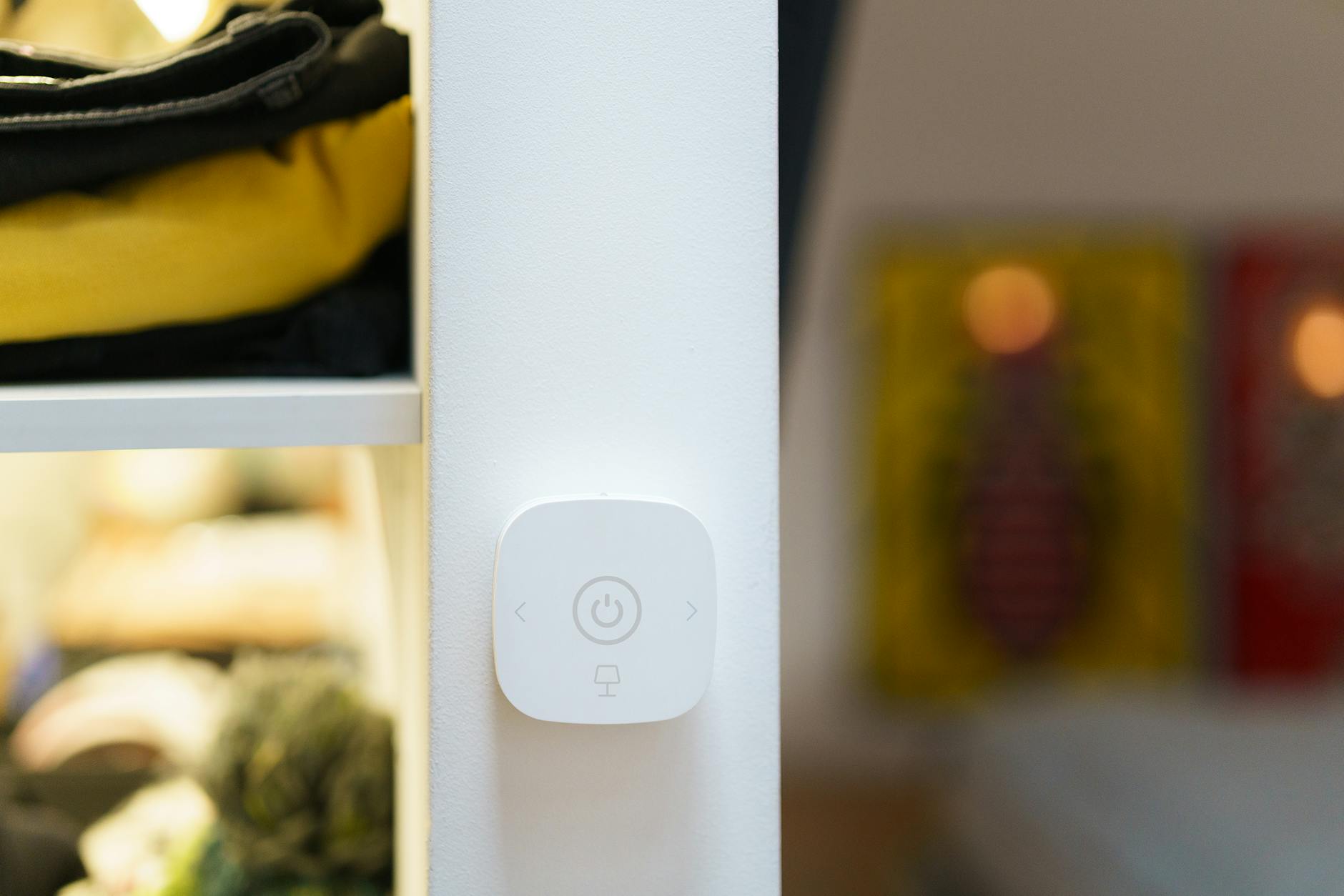
Reddit's r/smarthome community gets this question weekly: "What smart switches should I be considering?" The answer in 2026 is both simpler and more complicated than it was three years ago. Simpler because Matter compatibility has finally reduced the ecosystem lock-in that plagued early adopters. More complicated because you now have five distinct protocols to choose from—each with trade-offs that matter depending on your home's wiring, your technical comfort level, and whether you're building from scratch or retrofitting a 1970s colonial.
I've spent the last six months testing switches across four protocols in a 2,400-square-foot home with both modern and vintage wiring. This guide cuts through the marketing claims and Reddit echo chambers to give you a decision framework based on real installation experience.
The Five Protocols Explained
Before comparing specific switches, you need to understand what you're buying into. Your protocol choice matters more than the brand because it determines reliability, response time, and what else you can add to your system later.
Wi-Fi/Matter: The Plug-and-Play Option
Wi-Fi switches connect directly to your router. No hub required. The 2026 twist is Matter certification, which means these switches work with HomeKit, Alexa, Google Home, and SmartThings without manufacturer-specific integrations.
The downside? Every switch becomes a device on your network. Install twenty switches and you've added twenty Wi-Fi clients competing for airtime with your phones, laptops, and streaming devices. In larger homes, this can create congestion that manifests as delayed responses or dropped connections.
That said, for small apartments or anyone who wants the simplest possible setup, Wi-Fi/Matter switches are the right call. The Kasa KS225 Matter Dimmer at $19.99 is the standout value here—under twenty dollars for smooth dimming with a physical slider and full Matter compatibility.¹ TP-Link's Tapo line hits even lower at $14.99 for basic on/off control, though you sacrifice dimming.²
Zigbee: The Enthusiast's Choice
Zigbee creates its own mesh network separate from your Wi-Fi. Each powered switch acts as a repeater, extending range and improving reliability as you add more devices. Response times are typically under 100ms—noticeably faster than Wi-Fi switches that can take 500ms or more during network congestion.
The trade-off is complexity. You need a hub—either a dedicated device like the Samsung SmartThings Station or a multi-protocol hub like Home Assistant with a USB coordinator. Setup involves pairing, network healing, and occasional troubleshooting when devices drop off the mesh.
Aqara dominates the budget Zigbee segment. Their H1 switches cost around $25-30 and offer excellent reliability once paired.³ The new H2 US dimmer, released in late 2025, adds scene control and power monitoring for about $35. Reddit's r/homeassistant community consistently rates Aqara as the best entry point for Zigbee newcomers.
Z-Wave: The Reliable Workhorse
Z-Wave operates on a different frequency than Zigbee (908.42 MHz in the US versus 2.4 GHz), which means zero interference with Wi-Fi and generally better wall penetration. It's been the go-to protocol for professional installers for over a decade because it just works.
Zooz has emerged as the value leader in Z-Wave switches. The ZEN71 on/off switch and ZEN72 dimmer both retail around $30-35 and include features like scene control and auto-on/off timers that competitors charge extra for.⁴ The build quality is solid—not premium, but far from the cheap plastic feel of budget Wi-Fi options.
The catch? Z-Wave devices cost more than Zigbee equivalents, and the ecosystem is smaller. If you're starting fresh in 2026, Zigbee or Thread probably makes more sense. But if you already have Z-Wave locks, sensors, or thermostats, staying in the ecosystem is the logical choice.
Thread: The Future (That Requires Patience)
Thread is technically a version of Zigbee optimized for IP connectivity. It creates a self-healing mesh like Zigbee but with direct internet access for each device. The result is faster response times and better reliability than traditional Zigbee, plus no hub required if you already have a Thread border router.
Here's the problem: you need that border router. As of April 2026, that means an Apple TV 4K (2nd gen or later), HomePod Mini, or specific models of Eero and Nest routers. If you don't have one, you can't use Thread switches. Full stop.
Inovelli's Blue Series Thread dimmer at $39.95 is the standout product here.⁵ It combines Thread networking with Inovelli's signature LED notification bar—a multi-color light strip that can display everything from weather alerts to whether your garage door is open. But the price premium over Zigbee and Wi-Fi options is significant, and the Thread ecosystem is still maturing.
Lutron Clear Connect: The Reliability King
Lutron doesn't use any of the above protocols. Their proprietary Clear Connect technology operates at 434 MHz with frequency hopping—completely isolated from your Wi-Fi, Zigbee, Z-Wave, and neighbor's Bluetooth. The result is bulletproof reliability that professional integrators stake their reputations on.
The Caseta line requires Lutron's Smart Bridge Pro hub, adds $60-70 per switch, and offers limited smart home integration compared to open protocols. But if you want switches that never drop offline, never lag, and work in homes with terrible Wi-Fi coverage, Caseta is the answer.
The No-Neutral Problem
Here's where many smart switch projects die: older homes often lack a neutral wire in the switch box. Smart switches need constant power to maintain their radio connection, and without a neutral, they have to leak current through the load wire—something that works poorly with LED bulbs and can cause flickering, buzzing, or premature bulb failure.
Your options without a neutral wire:
Lutron Caseta — The only major line that truly solves the no-neutral problem. Their switches use a proprietary design that works reliably without neutral wires and doesn't cause LED flickering. This is why Caseta dominates in pre-1990 homes.⁶
Inovelli Blue Series (Dimmer Mode) — Can operate without a neutral if configured as a dimmer, even at full brightness. The trade-off is reduced maximum wattage capacity and potential compatibility issues with non-dimmable loads.
Illumra and Other EnOcean Options — Battery-free kinetic switches that generate power from the button press itself. No wiring required, but limited features and higher per-switch cost.
If you have neutral wires available, your options expand dramatically. If you don't, Caseta becomes the default recommendation regardless of price.
The Contenders: Brand-by-Brand Breakdown
Lutron Caseta: $60-70 per switch
The premium choice for reliability and no-neutral installations. Caseta switches feel substantial in hand, respond instantly, and integrate with more smart home platforms than any competitor. The Pico remote system—battery-powered remotes that mount to walls without wiring—is genuinely useful for adding three-way control to locations where running new wire would require drywall demolition.
The downsides are cost and ecosystem lock-in. You're buying into Lutron's universe, and while they play nice with major platforms, advanced automations require their app. For most homeowners, the reliability justifies the price. For tinkerers who want maximum flexibility, it feels constraining.
Inovelli Blue Series: $40-45 per switch
The enthusiast favorite for good reason. Inovelli packs more features into their switches than competitors: configurable LED bars, scene control via multi-tap sequences (double-tap, triple-tap, hold), power monitoring, and binding that lets switches control other Zigbee devices directly without going through a hub.
The Blue Series specifically uses Zigbee 3.0 with Matter certification, meaning it works with Home Assistant, SmartThings, Hubitat, and through Matter bridges, HomeKit. The build quality is excellent—metal frame, premium feel, clearly designed by people who actually use smart home products.
Availability remains the primary frustration. Inovelli operates on a direct-to-consumer model with periodic production runs. Popular models sell out within days of restocking, and you may wait weeks or months for specific configurations.⁷
Aqara H1/H2: $25-35 per switch
The budget Zigbee option that doesn't feel cheap. Aqara's H1 switches require the Aqara M2 or M3 hub but deliver excellent reliability once configured. The H2 US dimmer, released in October 2025, adds features like power monitoring and scene buttons that were previously missing from their US lineup.
The catch is ecosystem lock-in. While Aqara devices work with HomeKit and Matter through their hub, advanced features often require the Aqara app. And their hub-based architecture means if Aqara discontinues support or goes out of business, your switches become dumb.
For the price, though, Aqara is hard to beat. Reddit's r/homeassistant community consistently recommends them as the entry point for Zigbee smart homes.⁸
Zooz ZEN71/ZEN72: $30-35 per switch
The value leader in Z-Wave. Zooz packs features that competitors charge extra for: scene control, auto-on/off timers, and excellent range. The ZEN72 dimmer includes fine-grained brightness control and works with most LED loads without requiring bypass capacitors.
Build quality is good but not exceptional—the plastic faceplate feels less premium than Inovelli or Lutron. But at $10-15 less per switch, Zooz makes Z-Wave accessible to homeowners who thought the protocol was reserved for professional installations.
Kasa KS225 Matter: $20 per switch
The best value in Wi-Fi smart switches. The KS225 includes dimming, a physical slider for manual adjustment, and full Matter certification at a price that undercuts most competitors by 30% or more. Setup takes five minutes through the Kasa app, and Matter compatibility means it works with every major platform.
The limitations are what you'd expect at this price: Wi-Fi only (no Thread), requires a neutral wire, and the plastic construction feels utilitarian. But for basic smart lighting control in a small home or apartment, the KS225 is genuinely excellent value.⁹
My Recommendations by Use Case
Best Overall: Inovelli Blue Series
If you can find them in stock and don't mind the $40-45 price point, Inovelli Blue Series switches offer the best combination of features, reliability, and future-proofing. The LED notification bar alone justifies the premium for many users—being able to glance at a switch and see if your garage is open or if it's raining outside is genuinely useful.
Best for Older Homes (No Neutral): Lutron Caseta
No other brand reliably handles no-neutral installations without LED flickering or buzzing. If your home lacks neutral wires, Caseta isn't just the best option—it's often the only option that actually works.
Best Budget Option: Kasa KS225 or Aqara H1
Choose Kasa if you want the simplest setup possible and have neutral wires. Choose Aqara if you want to build a more sophisticated Zigbee mesh and don't mind adding their hub. Both deliver 90% of the functionality of premium switches at half the price.
Best for Home Assistant Users: Inovelli or Zooz
Both brands embrace the open-source community, publish detailed specifications, and support advanced features like scene control and binding that power users demand. Inovelli for Zigbee/Thread, Zooz for Z-Wave.
Best for Apple HomeKit Purists: Aqara or Matter Wi-Fi
Aqara's HomeKit integration is rock-solid, and their H2 dimmer supports HomeKit Adaptive Lighting. Alternatively, any Matter-certified switch works natively with HomeKit without requiring manufacturer-specific integrations.
Installation Reality Check
Every smart switch installation involves the same basic steps: turn off power at the breaker, remove the old switch, identify your wires, connect the new switch, restore power, and pair with your platform. But reality is messier.
Older homes often have crowded electrical boxes that don't have room for the deeper smart switches. Multi-gang installations get complicated when different switches control different loads with different wiring configurations. And three-way setups—where two switches control the same light—require compatible companion switches or specific wiring knowledge.
If you're not comfortable working with electrical wiring, hire an electrician. Smart switches are low-voltage devices, but you're still working inside mains electrical boxes. A mistake can damage your switch, your home's wiring, or you.
The Matter Wildcard
Matter certification was supposed to simplify smart home purchasing. In 2026, it's closer to that promise but still not perfect. A Matter switch works with every major platform, but advanced features often still require manufacturer apps. The Inovelli LED bar, for example, can only be fully configured through their app or Home Assistant—not through basic Matter controls.
Buy Matter-certified switches for the ecosystem flexibility, but don't expect them to be fully interchangeable. Each brand still brings unique capabilities that Matter doesn't standardize.
Final Thoughts
The "right" smart switch depends on your home's wiring, your technical comfort level, and your budget. Start with one switch in a high-traffic area—a kitchen or living room where you'll appreciate the convenience daily. Live with it for a month before committing to a whole-home installation.
And remember: the switch is just the interface. The real value comes from the automations you build—lights that turn on when you arrive home, paths that illuminate automatically at night, scenes that set the perfect mood with a voice command or button press. The best switch is the one that gets out of your way and makes those automations reliable.
What smart switch ecosystem are you building with? The debate between Zigbee, Z-Wave, and Thread factions continues in every smart home forum—and your experience might help someone else make their decision.
Sources
- MatterCatalog - Best Matter Smart Light Switches 2026
- TP-Link Tapo Product Specifications
- PCWorld - Aqara Smart Light Switch Review
- Zooz Official Product Documentation
- Inovelli Blue Series Product Page
- Consumer Reports - Lutron Caseta Smart Switch Review
- Inovelli Community Forums
- Reddit r/homeassistant - Motion Sensor Recommendations
- Kasa Official Product Specifications